

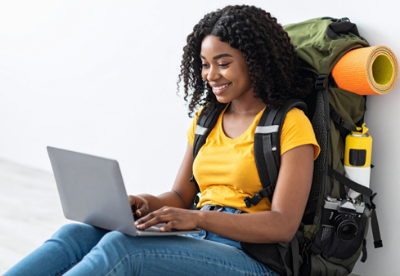
Protect your device from theft, damage, and power issues — whether you’re flying overseas, driving interstate, or catching up on work from your holiday destination.
The holiday season is one of the busiest travel periods of the year, making it also one of the riskiest times for your laptop. From crowded airports and unpredictable weather to dodgy charging stations, your device faces more hazards than you may realise.
To help you stay connected, productive, and stress-free this holiday season, here’s a complete guide on how to keep your laptop safe while travelling.
🎒 1. Choose the Right Laptop Bag for Travel
Your laptop bag is your first line of defence. A poor-quality bag can lead to accidental damage, cracked screens, or even theft. For holiday travel, choose a bag that offers:
✔ Padded Protection
Thick, shock-absorbing padding protects your laptop from bumps and knocks — especially important when navigating busy airports or packing your luggage tightly.
✔ Water Resistance
Sudden summer rainstorms, beachside humidity, or spilled drinks can destroy a laptop in seconds. A water-resistant laptop backpack offers crucial moisture protection.
✔ Anti-Theft Features
Hidden zippers, lockable compartments, and cut-proof materials help keep your laptop secure in crowded places such as airports, public transport, and tourist hotspots.
Laptop Plus offers a range of water-resistant, travel-friendly laptop backpacks designed with safety, comfort and portability in mind.
🔒 2. Protect Your Laptop From Theft
Laptop theft spikes during holiday travel — especially in crowded areas. Here’s how to reduce your risk:
✔ Keep your laptop with you at all times
Avoid placing it in checked luggage where it can be damaged or stolen.
✔ Never leave it unattended
Even a few seconds at a café table or airport lounge can be enough for someone to grab it.
✔ Use a laptop lock in shared spaces
If you’re working in a co-working space or hotel lobby, a simple laptop cable lock can deter opportunistic thieves.
✔ Enable tracking & security features
- Turn on:
- Find My Device (Windows)
- Find My Mac (Apple)
- A strong password or PIN
- Two-factor authentication
If the worst happens, these features increase the chance of recovering your device.
❄️☀️ 3. Protect Your Laptop From Heat & Cold
Extremely hot or cold temperatures can seriously damage laptop batteries and internal components. Holiday travel often includes both — from air-conditioned airports to hot cars and outdoor summer days.
🔥 Avoid Heat Damage
High temperatures can cause:
- Battery swelling
- Thermal throttling
- Component failure
- Data corruption
Never leave your laptop in a parked car, especially during the Australian summer where vehicle temperatures can exceed 60°C.
❄️ Avoid Cold Damage
Cold conditions can:
- Reduce battery life
- Cause sudden shutdowns
- Thicken internal lubricants
- Condense moisture inside the device
If your laptop feels cold, let it warm to room temperature before turning it on.
🌡 Ideal Storage Temperature
Most laptops operate safely between 10°C and 35°C. When travelling, keep your device in a padded bag to help regulate temperature changes.
🔌 4. Charge Safely While Travelling — Avoid “Charging Fails”
Holiday travel means relying on public charging stations, power banks, and adapters you might not normally use. To stay safe:
✔ Use the correct power adapter
Using a cheap, incompatible, or non-certified charger can cause overheating, short circuits, or even fire hazards.
Laptop Plus stocks Australian-compliant laptop chargers for over 40,000 different laptop models.
✔ Bring a universal travel adapter
If heading overseas, ensure your charger works with the country’s plug type and voltage.
✔ Avoid USB “juice jacking”
Public USB ports can be used to extract data from your device.
Use your own charger and plug into a wall outlet instead.
✔ Carry a portable laptop power bank
For long flights, road trips or remote areas, a portable charger ensures you stay powered without relying on public outlets.
🧼 5. Keep Your Laptop Clean & Dust-Free
Travel exposes your laptop to sand, dust, and debris — all of which can clog fans, cause overheating, and reduce performance.
A compact Laptop Cleaning Kit from Laptop Plus helps you:
- Clean screens safely
- Remove dust from vents
- Keep keys free from debris
This is particularly useful if you're travelling to humid, sandy, or dusty environments.
🔐 6. Cybersecurity Tips for Traveling With Your Laptop
Best practice:
- Use a trusted VPN (Virtual Private Network) whenever connecting to public Wi-Fi
- Avoid accessing banking, emails, or business accounts on open networks without a VPN
- Turn off auto-connect to public Wi-Fi networks
- Avoid Public USB Charging Stations (“Juice Jacking”)
- Turn off Bluetooth and Wi-Fi when not actively using them
✈️ Final Thoughts: Travel Smart, Stay Safe
Holiday travel shouldn’t compromise your laptop’s safety. With the right protective bag, smart charging habits, proper security measures, and temperature awareness, you can enjoy your break without worrying about damage or theft.
Laptops are at higher risk of loss or damage while travelling. make sure to back up your data and test your backup before leaving.
Travel safely — and keep your tech safe too.
Shop the entire Laptop Plus range here: https://www.laptopplus.com.au/