

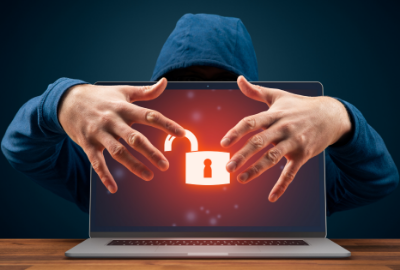
October is here—bringing pumpkins, spooky movies, and… cyber-scares. While haunted houses and jump-scares are all in good fun, nothing sends a chill down your spine quite like discovering your laptop has been hacked or your personal data stolen.
With Cybersecurity Awareness Month falling in October, there’s no better time to look at a few real-life laptop security “horror stories”—and what you can do to keep your own device safe from the monsters lurking online.
👻 The “Phantom Update” Attack
One company learned the hard way that not every software update is what it seems. Hackers disguised malicious code as a legitimate update, tricking employees into installing it. Within minutes, malware spread through laptops across the business, stealing passwords and banking data.
Lesson learned: Always verify your updates. Fake pop-ups and phishing emails are common tricks. Keep your operating system and antivirus software updated automatically through verified settings—not third-party links or pop-ups.
💡 Top Tip: Outdated systems are like unlocked doors. Enable automatic updates and install security patches as soon as they’re released.
🧛♂️ The Public Wi-Fi Vampire
Free airport and café Wi-Fi might look friendly, but many travellers have fallen victim to “evil twin” networks—fake hotspots created by hackers. Once connected, every email, password, and credit-card detail sent through that network is visible to them.
Lesson learned: Public Wi-Fi can drain more than your bandwidth—it can suck out your data, too. Use a VPN (Virtual Private Network) to encrypt your traffic, or stick to your mobile hotspot when handling sensitive information.
💡 Top Tip: When travelling, pack tech that supports safe, reliable connections—like high-quality chargers and portable batteries from Laptop Plus. They keep your devices powered, so you won’t be tempted by risky public charging or unsecured networks.
🧟♀️ The Overheating Zombie Laptop
It starts innocently enough: your laptop feels hot, the fan won’t stop, and performance lags. Then, the realisation hits—your machine has been hijacked for crypto-mining. In a “cryptojacking” attack, hackers secretly use your computer’s resources to mine cryptocurrency, draining power and drastically overheating your battery.
Lesson learned: Overheating isn’t just bad for performance—it’s a sign something’s wrong. Malware can push your battery to unsafe levels, risking swelling or even fire.
💡 Top Tip: Keep your device clean and ventilated. Regularly remove dust and debris with Laptop Plus Cleaning Kits, and if your battery is running hot or draining unusually fast, it may be time for a replacement battery.
🕷️ The Phishing Web
Phishing emails remain the oldest trick in the hacker’s spell book—and still one of the most effective. One click on a fake invoice or “delivery alert” link can install spyware that records keystrokes or gives intruders remote access to your laptop.
Lesson learned: Hover before you click. Examine links carefully and be cautious with attachments, even if they look legitimate. A moment’s hesitation can save you from months of damage control.
💡 Top Tip: Legitimate companies never ask for passwords or banking details via email. If in doubt, contact the company directly before responding.
🦇 Protect Your Laptop from Future Frights
Staying safe online doesn’t require silver bullets or holy water—just smart habits and a few trusted tools. Here’s how to defend your device against the dark side of cyberspace:
- Use strong, unique passwords (and a password manager).
- Turn on two-factor authentication (2FA) for sensitive accounts.
- Avoid suspicious downloads and unverified software.
- Back up your data regularly to external drives or secure cloud storage.
- Monitor laptop performance—unexpected heat or lag may signal hidden malware.
- Replace ageing hardware before it becomes a weak point in your defences.
Your laptop’s physical health is part of its cybersecurity. A damaged battery, cheap charger, or clogged cooling vent can cause overheating and instability—making your system easier to exploit.
🛡️ Shop smarter at Laptop Plus:
• Replacement Laptop Batteries – safe, reliable, and designed for your exact model.
• Chargers and Adapters – genuine, certified replacements that won’t put your system at risk.
• Cleaning Kits and Accessories – keep your laptop running cool and secure.
Cyberattacks might sound like something out of a horror movie, but they’re very real—and increasingly sophisticated. The good news? You don’t have to live in fear. By learning from real-life laptop security breaches and taking a few preventative steps, you can keep your laptop safe, your data protected, and your productivity uninterrupted.
So this Halloween, don’t let hackers give you a fright. Stay alert, stay updated, and let Laptop Plus help you guard against the real monsters of the digital world.
👉 Visit Laptop Plus today for trusted batteries, chargers, and accessories that keep your laptop healthy and secure!