

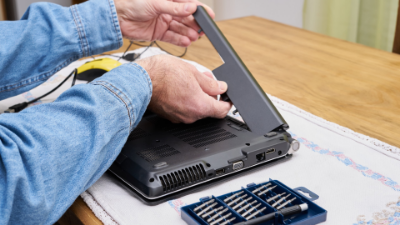
A laptop battery is one of the hardest working components in your device. Designed to power hours of productivity, entertainment, and travel, it silently goes through thousands of charge and discharge cycles. But as reliable as they are, laptop batteries don’t last forever. One of the most concerning issues users encounter is a swollen laptop battery—a problem that not only affects performance but can also pose serious safety risks.
So, why do laptop batteries swell, and what should you do if it happens? In this blog pst, we’ll explore the technical causes, highlight the dangers, and share practical steps to keep you and your laptop safe.
What Causes a Laptop Battery to Swell?
Most modern laptops use lithium-ion batteries. These batteries rely on a delicate balance of chemical reactions to store and release energy. Over time, or under certain conditions, those reactions can break down and produce gases. Since the battery casing is sealed, those gases build up, causing the battery to expand or swell.
Here are the most common technical causes of swelling:
1. Chemical Breakdown from Age
Every charge cycle (draining and recharging your battery) slightly degrades the chemical compounds inside. After hundreds of cycles, this natural wear accelerates. As the materials inside the battery deteriorate, they can produce electrolyte gas, which leads to swelling.
2. Overheating and Poor Ventilation
Excessive heat speeds up chemical reactions inside the battery and accelerates breakdown. This is why laptops left in hot cars, placed on soft surfaces like beds, or run with blocked air vents are more prone to swelling. Overheating also reduces the battery’s capacity, making swelling more likely over time. Never use your laptop in an environment that overheats it and if it is hot, allow it to cooldown before using it again.
3. Overcharging or Faulty Chargers
While most laptops have built-in protections, using cheap or incompatible chargers can lead to unstable charging. Irregular current flow or overcharging stresses the battery cells, producing excess gas and heat.
👉 If you suspect your charger is part of the issue, browse replacement laptop chargers from Laptop Plus, designed specifically for safety and compatibility.
4. Environmental Conditions
Extreme conditions—such as high humidity, direct sunlight, or constant temperature fluctuations—can damage a lithium-ion battery’s internal structure. Travellers and digital nomads who frequently move between climates may see signs of swelling earlier.
Is a Swollen Laptop Battery Dangerous?
The short answer: yes.
A swollen battery doesn’t just mean reduced performance—it can present real safety risks. Here’s why you shouldn’t ignore it:
● Fire or bursting risk: In rare cases, the pressure from swelling can rupture the casing, exposing flammable materials.
● Damage to your laptop: Swelling can warp the touchpad, lift the keyboard, or push against the screen, causing permanent structural damage.
● Reduced reliability: A swollen battery is already compromised, meaning it could fail completely and leave you without power when you need it most.
If you notice swelling, treat it as an urgent issue. Do not continue using or charging the laptop until the battery is replaced.
What to Do if Your Laptop Battery is Swollen
- Stop Using the Laptop Immediately
Continuing to use or charge a swollen battery increases the risk of further damage. - Do Not Puncture or Remove the Battery Yourself
Puncturing a swollen battery can release dangerous chemicals or cause fire. Always leave removal to professionals. - Seek a Safe Replacement
At Laptop Plus, we stock replacement laptop batteries for over 40,000 models. Our products are designed for the Australian market, ensuring safety, compatibility, and quality performance.
👉 Browse Replacement Laptop Batteries
- Clean and Check Your Laptop
Battery swelling can leave behind residue or dust inside your laptop. A professional cleaning helps restore airflow and extend the life of your device.
👉 Explore Cleaning Kits at Laptop Plus
How to Prevent Battery Swelling
While no battery lasts forever, good care can reduce the risk of swelling:
● Keep your laptop cool by using a cooling pad or stand.
● Avoid leaving your laptop in hot cars or direct sunlight.
● Use only high-quality, compatible chargers.
● Don’t store laptops fully charged or completely empty for long periods—aim for 40–60% charge during storage.
● Regularly clean your laptop’s vents with compressed air or a cleaning kit to prevent overheating.
Final Thoughts
A swollen laptop battery is more than an inconvenience—it’s a safety risk and a clear sign that your device needs attention. By understanding the technical causes—from chemical breakdown and overheating to environmental stress—you’ll know what to watch for and when to act.
If you’ve spotted swelling, don’t wait. Protect your laptop and your safety with a reliable replacement battery from Laptop Plus, and keep your device running smoothly.