

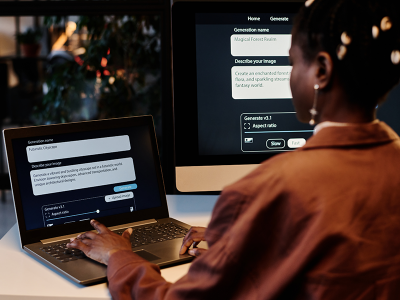
Artificial Intelligence (AI) is changing the way we use our laptops. From AI-powered writing assistants and image generators to smart search tools and meeting summaries, features that once seemed futuristic are now built into many of the apps we use every day.
While these tools can boost productivity, there's one downside many users are starting to notice: reduced battery life.
If you've been wondering, "Why is my laptop battery draining so fast?" or "Do AI features use more battery?", you're not imagining it. Here's why AI-powered software can put extra strain on your laptop—and what you can do to keep your device running for longer.
Why AI Uses More Power
Unlike traditional software, AI applications often perform continuous background processing. Even when you're not actively using an AI feature, your laptop may still be analysing information, indexing files, syncing data, or preparing suggestions in the background.
Modern AI-powered features can include:
● Writing assistants
● Real-time language translation
● AI image generation
● Smart search and file indexing
● Noise cancellation during video calls
● Live captions and transcription
● AI meeting summaries
These tasks require more computing power than standard applications, placing greater demand on your laptop's processor, memory, and battery.
AI Features Don't Just Work in the Cloud
Many people assume AI only runs on remote servers. While cloud-based services like ChatGPT process most of the heavy lifting online, many modern laptops now include AI features that run directly on the device.
New generations of Windows laptops, including many AI PCs and Copilot+ PCs, use dedicated Neural Processing Units (NPUs) to accelerate AI tasks while improving efficiency. However, even with specialised hardware, these features still consume additional power—especially when multiple AI-powered applications are running simultaneously.
The more AI tools you use throughout the day, the greater the impact on battery life.
Why Older Laptop Batteries Feel the Impact More
If your laptop is a few years old, AI workloads can expose weaknesses in an ageing battery.
Lithium-ion batteries naturally lose capacity over time. After hundreds of charge cycles, they simply can't store as much energy as they once could. When modern AI applications place greater demands on the system, an older battery may struggle to keep up.
Common signs include:
● Your battery drains much faster than it used to.
● Your laptop gets warmer during everyday tasks.
● The battery percentage drops unexpectedly.
● You need to stay plugged in for most of the day.
In many cases, the laptop itself is still perfectly capable; it’s just that the battery is simply no longer performing at its best.
So, before you consider buying a new laptop, ask yourself: is it the device that's struggling, or just the battery? In most cases, a quality replacement battery is all you need to get back to full performance at a fraction of the cost of a new device.
How to Reduce Battery Drain
Fortunately, there are several ways to improve battery life without giving up the benefits of AI.
Close Apps You Aren't Using
Running multiple AI-powered programs at once can significantly increase battery consumption. Closing unnecessary applications helps reduce the load on your system.
Adjust Power Settings
Using your operating system's battery-saving or balanced power mode can reduce background activity and improve battery efficiency.
Keep Your Laptop Cool
Heat reduces battery efficiency. Regularly cleaning your laptop's vents and using a laptop stand to improve airflow can help maintain performance.
Keep Software Updated
Operating system and application updates often include performance and power-efficiency improvements. Keeping your software up-to-date helps your laptop run more efficiently.
When It's Time to Replace Your Battery
If your laptop battery is only lasting an hour or two despite making these changes, it may be time for a replacement.
Replacing a worn battery can:
● Restore longer battery life
● Improve portability
● Reduce unexpected shutdowns
● Help your laptop cope with today's more demanding AI-powered workloads
It's also a far more affordable option than replacing an otherwise perfectly functional laptop.
Laptop Plus stocks replacement laptop batteries for more than 40,000 laptop models, making it easy to find the right battery for your device and extend its working life.
Don't Forget Your Charger
As AI workloads become more demanding, having a reliable charger is just as important as having a healthy battery.
A damaged or underperforming charger can lead to slower charging times and inconsistent power delivery, particularly when your laptop is working harder than usual.
If your charger has become unreliable, Laptop Plus also offers replacement laptop chargers and adapters designed to match your laptop's exact specifications.
The Bottom Line
AI is transforming the way we work, study, and create. But these powerful new features also place greater demands on our laptops, making battery health more important than ever.
If you've noticed your battery draining faster since using AI-powered tools, don't assume you need a new laptop. In many cases, replacing an ageing battery or charger is all that's needed to restore reliable performance.
Whether you're working with AI every day or simply want your laptop to last longer between charges, investing in quality replacement batteries, chargers, and accessories can help you get the most from your device.
Explore the full range of replacement batteries, chargers, laptop stands, and accessories at Laptop Plus and keep your laptop ready for whatever AI brings next.